Once you understand how the Timeline Ruler works. You can start modifying animation parameters and create new and interseting animations. These are some common animation parameters and what they do.
Type in Style – can be either None or Grow . when setting to Grow the animated text will push the other text in order to fit inside. when set to None the text spacing will not change. Try experimenting with this parameter to get a better grasp of it
Type out Style – can be either None or Shrink . similar to Type in Style only for shrinking animations. Try experimenting with this parameter to get a better grasp of it
Pattern – can be either of the following options :
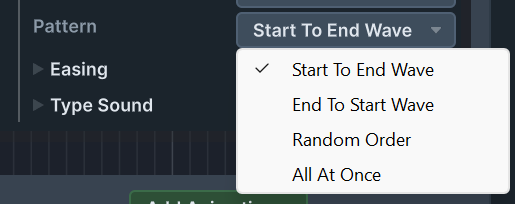
this selects the pattern of the animation for Type In or Type out animations. it can be in one direction , in random order , or all at once.
Perpetual Pattern – similar to Pattern but with perpetual options :
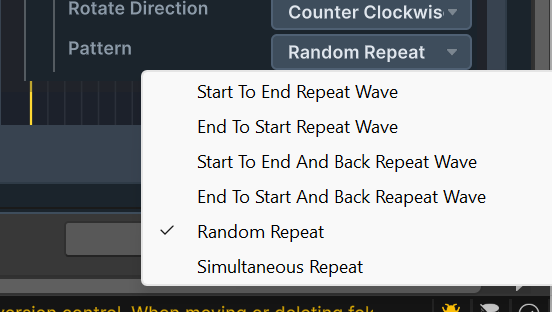
This selects the animation pattern for repeating animations. For example , a jump wave.
Scope – can be either of the following options:
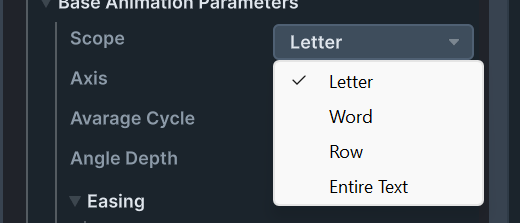
this selects weather an animation operates per letter , per word , per row , or for the entire text. For example , a random jump animation , can have each letter jump on a random occasion , each word , each row and so on.
Average Cycle / Average Gap Time – for repeating and random animations. this sets the average amount of time between animations. for example , the jump and spin animation operates on a random letter for each 2 seconds in average

Word index – for animations that operate on a single word , this parameter determines the 0 based index of the word into the text. starting with 0. if the index is out of range , this silently fails.

Base Animation Time / One Type Time / Jump Time/ Slide Time etc – these parameters are used in composite animations that play a base animation on each letter. this signals the time of each base animation.
Slide offset/ Rotation Offset / Offset – for some animations like slide animations , this sets the start or end position of the slide relative to the letter. For example , if a letter slides out and the offset is set to 5 , the letter will slide for 5 units

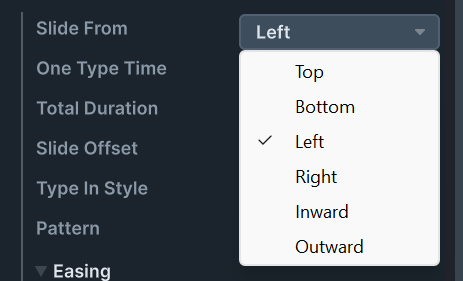
Slide From/Slide To – this sets the direction of the slide animation.