Prefab placers are font style elements that allow you to place prefabs on the designed font.
There are currently two type of prefab placers. Random and Single.
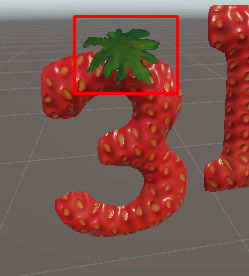
Settings of Prefab Placer
The simple prefab placer places one prefab per letter.
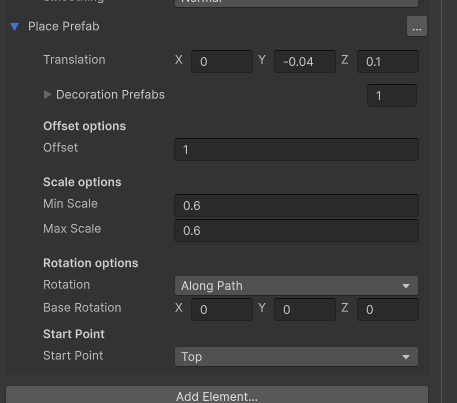
- Translation – the translation of the element within the letter. You can use this to position the element relative to other elements
- Decoration Prefabs – a random prefab is selected from this list for each letter
- Offset – the offset of the letter along which the prefab is placed. you should usually choose an offset close to the offset of the other meshes in your 3D font style
- Scale Options – Defines a scale range. a random value is selected per letter and applied to the placed prefab
- Rotataion – you can choose the rotation type.
- Along Path – rotates the prefab along the contour of the font letter
- Original – uses the original rotation of the prefab
- Random – Applies a random rotation to the prefab
- Base Rotation – a base rotation (Euler angles) that is appended to the Rotation
- Start Point – the point at which the prefab is added.
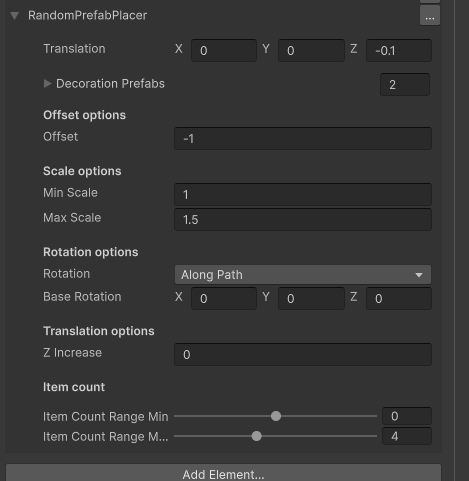
Settings of “Random Prefab Placer”
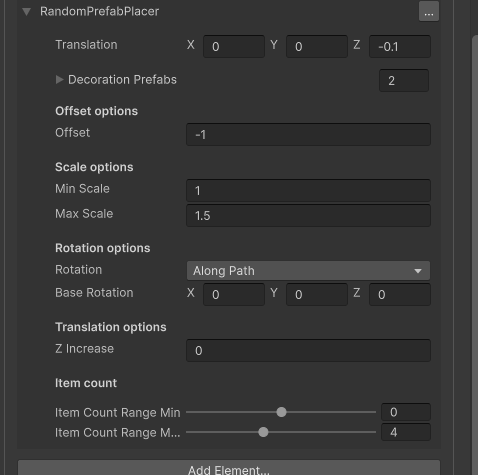
- Translation – the translation of the element within the letter. You can use this to position the element relative to other elements
- Decoration Prefabs – a random prefab is selected from this list for each letter
- Offset – the offset of the letter along which the prefab is placed. you should usually choose an offset close to the offset of the other meshes in your 3D font style
- Scale Options – Defines a scale range. a random value is selected per letter and applied to the placed prefab
- Rotataion – you can choose the rotation type.
- Along Path – rotates the prefab along the contour of the font letter
- Original – uses the original rotation of the prefab
- Random – Applies a random rotation to the prefab
- Base Rotation – a base rotation (Euler angles) that is appended to the Rotation
- Z Increase – use this to slightly increase the z position in order to avoid z fighting between placed objects
- Item Count Range – A range of ints. For each letter the count of placed item is selected from the range. if the count is 0 or lower , no items are placed.
Real Life Example:
go to Extras/Font Packages/Themed / Wood / Wood – Nails
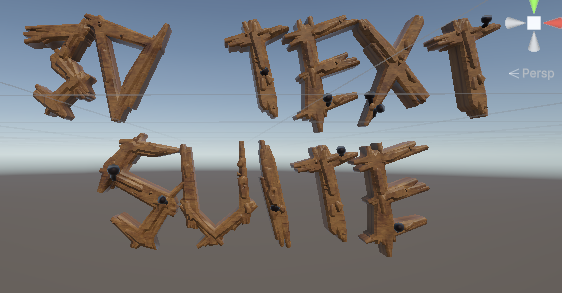
In this font a prefab placer is used in order to place nails along the wood: