TTF assets in 3D Text Suite can be created from ttf files. Note that 3D Text Suite supports only .ttf (not .otf or others) and only static fonts. if the file you have doesn’t match this spec , you can convert it to a static ttf easily online.
Right click on your project explorer
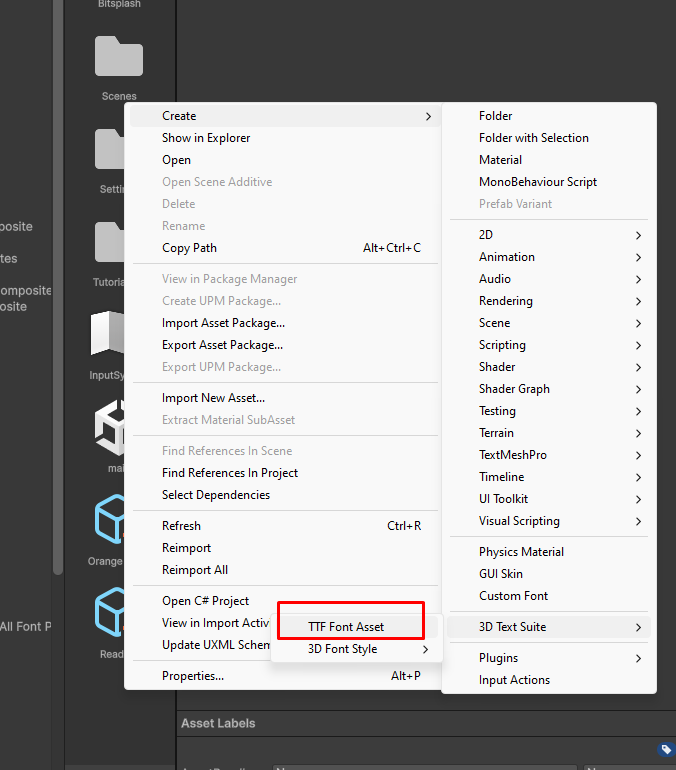
Select Create->3D Text Suite -> TTF Font Asset
Go to the TTF Font Asset Inspector
Click “Select Font…”
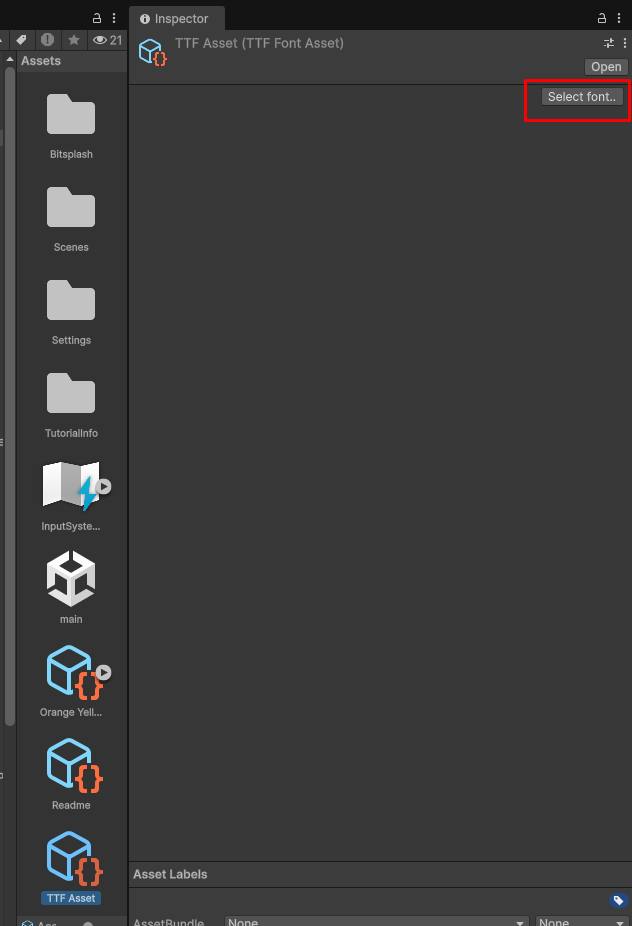
Select your TTF FIle. If successful you’ll see the font details in the inspector:
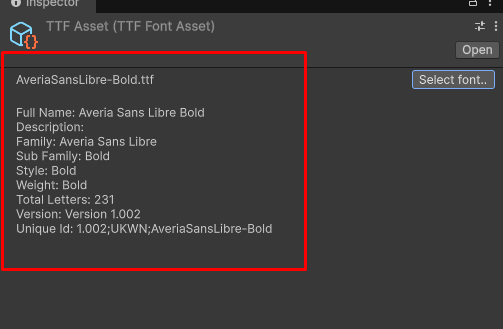
You can now assign the TTF Asset to any font style. see Editing a 3D Font Style to learn how to do that.